Chat Widget Features & Performance
Answer from your phone, a shared inbox or Gmail, or let the AI handle it. Everything GhostChat does — and the performance numbers behind it.
Start free — no cardPerformance Metrics
Total transferred and Total Blocking Time, from our own measurements in August 2026.
| Widget | Total transferred | Blocking time |
|---|---|---|
| GhostChat | 18.9 KB | 0 ms |
| LiveChat | 43.5 KB | 0 ms |
| Crisp | 267 KB | not measurable — see below |
| Tawk.to | 462 KB | 25 ms |
| Intercom | 1,104 KB | 82 ms |
Totals include opening the chat panel, where the gap widens: Intercom transfers 271 KB on load and 833 KB more the moment a visitor clicks. Blocking time is the median of five Lighthouse runs (Slow 4G, Moto G Power). Crisp's loader declines to run under Lighthouse, so it has no timing. The widget is served from Cloudflare's edge; chat history is stored once, in N. Virginia. Full method and results · Why widget size matters
Team Support
Invite your team to reply together — up to 10 seats on Team. Every response shows who sent it — no more "who answered this?"
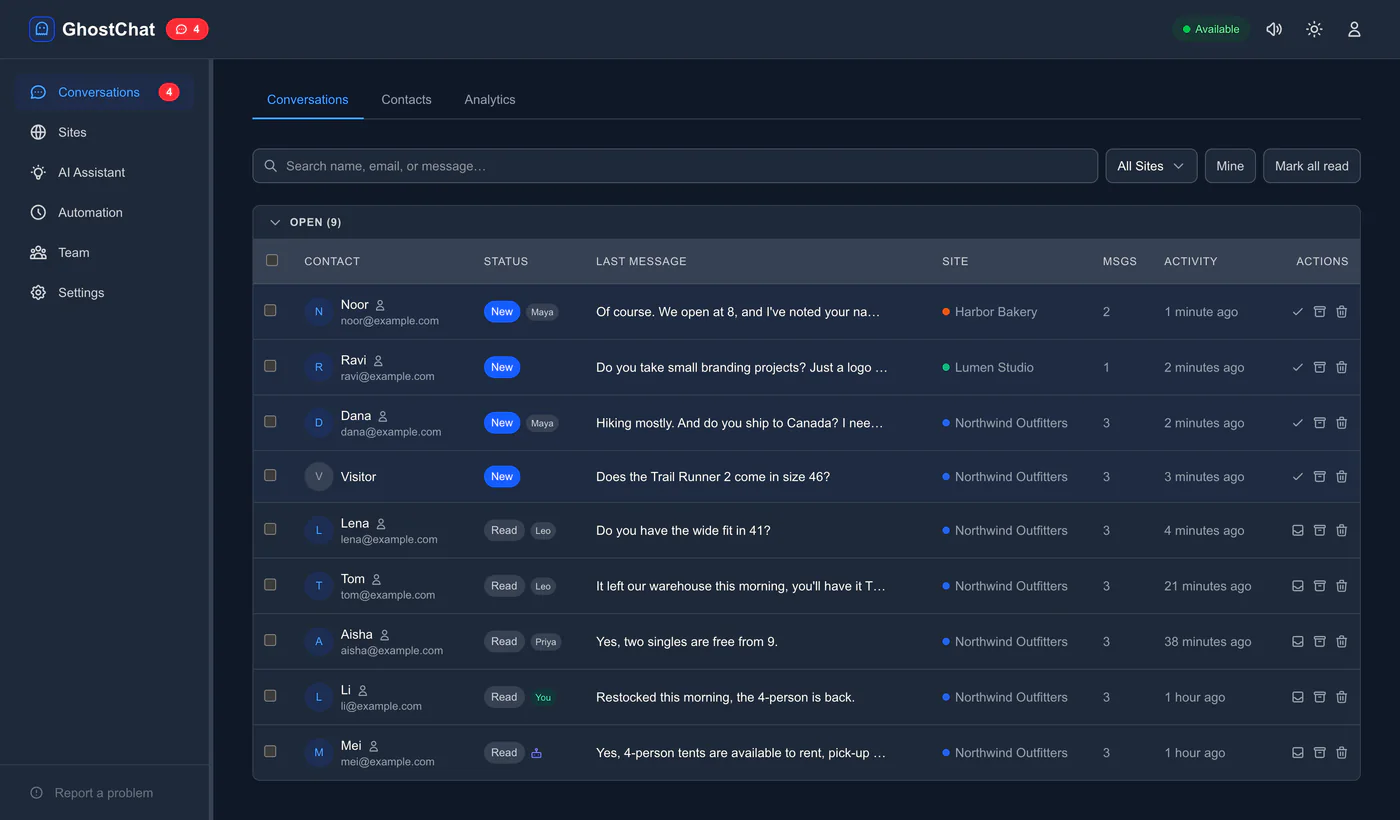
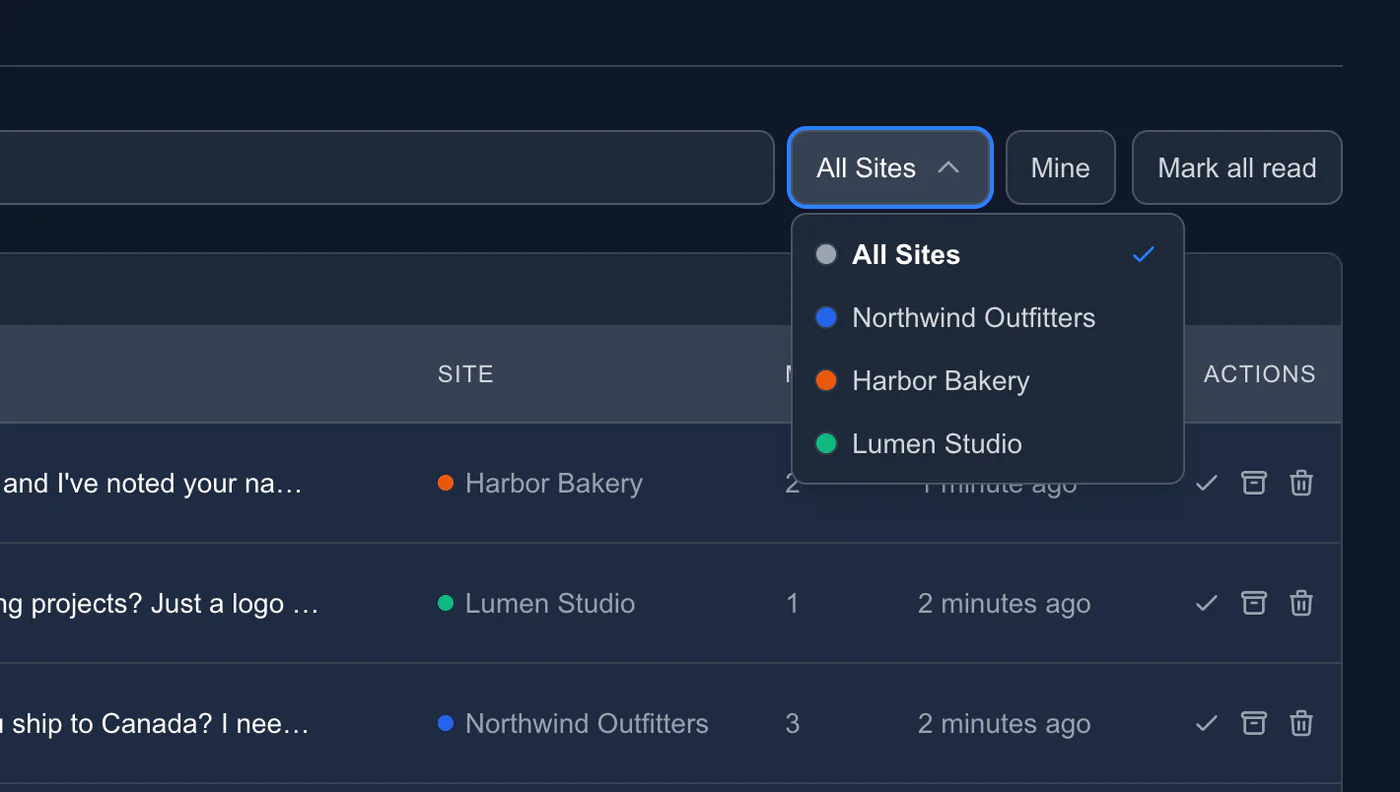
- ✓Invite up to 9 teammates by email, 10 people including you, each with their own login and an admin or agent role.
- ✓Push and email for every agent, so nobody misses a chat away from the dashboard.
- ✓Every reply shows who sent it, to visitors and to the rest of the team.
- ✓No duplicate answers: assign a chat to one person and see when a teammate is already typing.
Up to 10 team members on Team · identity verification included
Reply by email
Prefer your inbox? Reply to the notification from Gmail or any email app.
Answering as a team? Use the shared inbox: it shows who has each chat and when a teammate is already typing.
Dana sent a message:
“Do you ship to Canada? I need it by Friday.”
Yes — 3–5 days. Order by tonight and it lands Friday.
Reply from any email
A visitor message arrives as an email. Hit reply; the answer appears in the chat widget. Gmail, Outlook, Proton Mail, any client.
One thread per conversation
Every reply stays in the same email thread, so the whole history is there without logging in anywhere.
Visitors can reply by email too
They get your answer by email as well, and can write back. The conversation continues in the widget and in email.
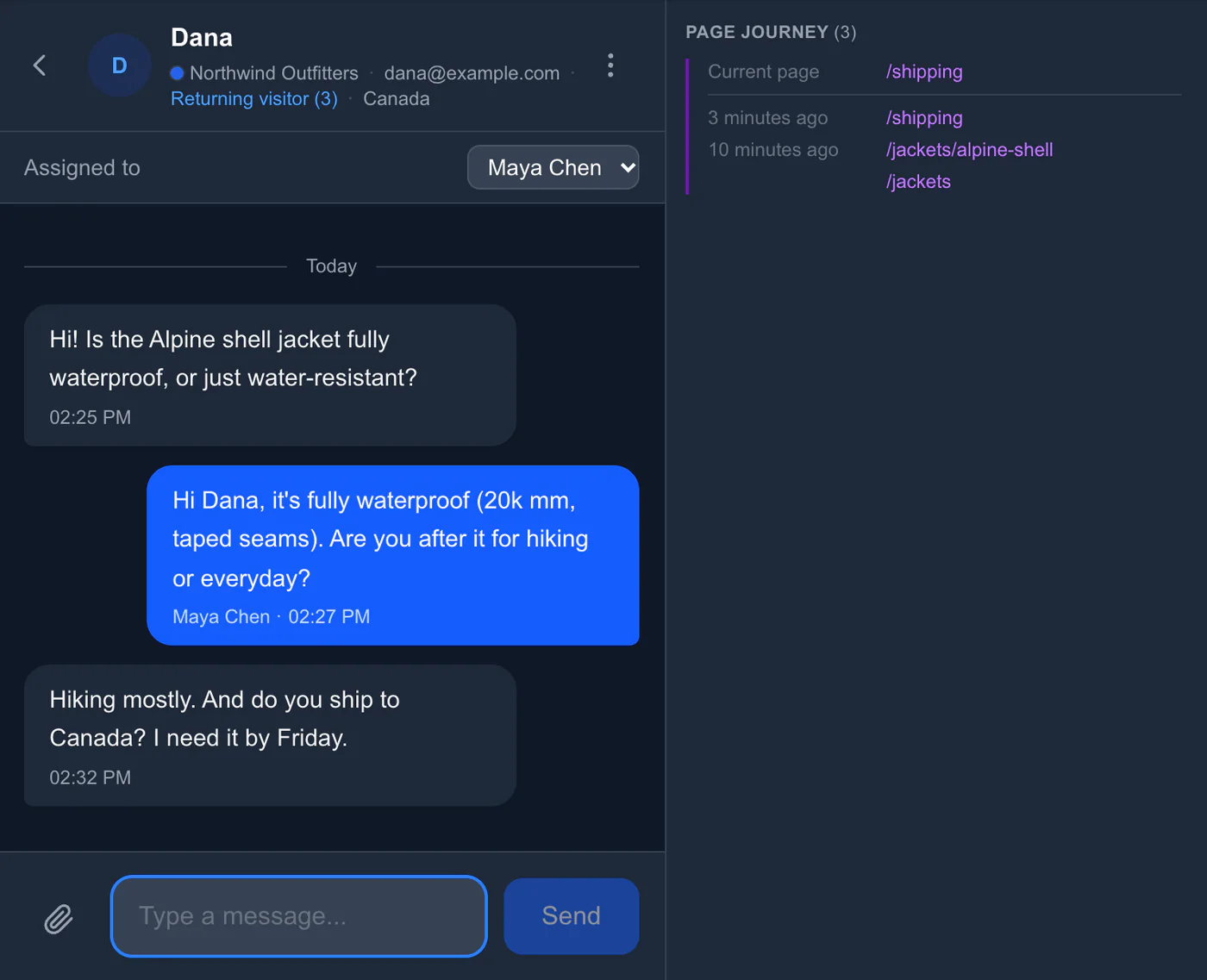
Visitor Page Journey
See the pages your visitor viewed on your site: where they came from, where they opened the chat, and every page after. Know exactly what they were looking at — product pages, pricing, checkout — so you can give relevant answers instantly.
AI Assistant
A built-in AI chatbot that answers visitors 24/7 from your FAQ — and hands off to you when it can't answer. Switch it on from Starter up.
Grounded in Your FAQ
Answers from the knowledge base you approve — hours, pricing, product questions — and hands off to you when it can't answer. One click drafts it all from your own website with Generate with AI.
Hands Off, Never Dead-Ends
When it can't answer, it connects the visitor with you live — or captures their name and email so you can follow up. The lead is never lost.
Blocked Words
List the words or phrases the AI must never handle — refund, lawyer, diagnosis — and messages that use them go straight to a person.
Also included
Four more things the widget does, each with a link to more when you want the detail.
Privacy mode
One switch, and chats are never remembered on the visitor's device: closing the tab clears everything, an idle chat wipes itself after 15 minutes. Every message still reaches your inbox. Per site, on every plan.
Privacy-first chat →Webhooks
A lightweight event for every visitor message and a full transcript when a conversation is resolved, POSTed to your URL. Connect Slack, your CRM, Airtable or your own bot. Starter and up.
Webhook events and payloads →Visitor context
Send cart contents, page type or any custom data with one call, and it shows in the conversation header beside the chat. The WordPress plugin sends WooCommerce carts on its own.
setContext() reference →Auto-translate
Visitors write in their language and you read yours; your reply goes back translated, both originals kept. 133+ languages via Google Translate. On Team.
View pricing →Frequently Asked Questions
What features are included in the free plan?
The free plan includes 1 site, 30-day chat history, canned responses, quick links, file uploads, typing indicators, push notifications, and email notifications. GhostChat branding is shown on the widget.
Can I reply to chats from my phone?
Yes. Install the GhostChat app on Android, or open the dashboard in your phone's browser; on iPhone, add it to your home screen for notifications. You can also reply to the notification email from Gmail or any email app.
Does GhostChat support multiple websites?
Yes. Starter supports up to 3 sites; Team is unlimited. Each site has its own widget, conversation history, and settings. Team members are account-wide, so everyone you invite can help across all your sites.
How does Gmail threading work?
When a visitor messages you, GhostChat sends you an email notification. You reply to that email and your message is delivered to the visitor in real time. No dashboard login required.
Does GhostChat include an AI chatbot?
Yes. The AI Assistant answers visitor questions 24/7 from your FAQ knowledge base, hands off to you when it can't answer, and sends messages with words you've blocked straight to you. We run it for you — no API key or setup beyond a two-minute configuration. Switch it on from Starter up. You pay $0.10 once the AI gives a real answer. If it hands off before answering anything, it's free.
Can I verify who I am actually talking to?
Yes. Identity verification (on the Team plan) lets your backend cryptographically sign each visitor identity, and GhostChat checks the signature before the chat starts — so nobody can impersonate a customer by typing their name or email.
What is the Visitor Context API?
The Visitor Context API lets you send data to agents in real time. WooCommerce/store context (cart, product, page type) is available on Starter and up; custom setContext() keys are on Team and up.